

Switching Between UNVR's in Unifi Protect App

Last updated: Jan 29, 2026
3134
views

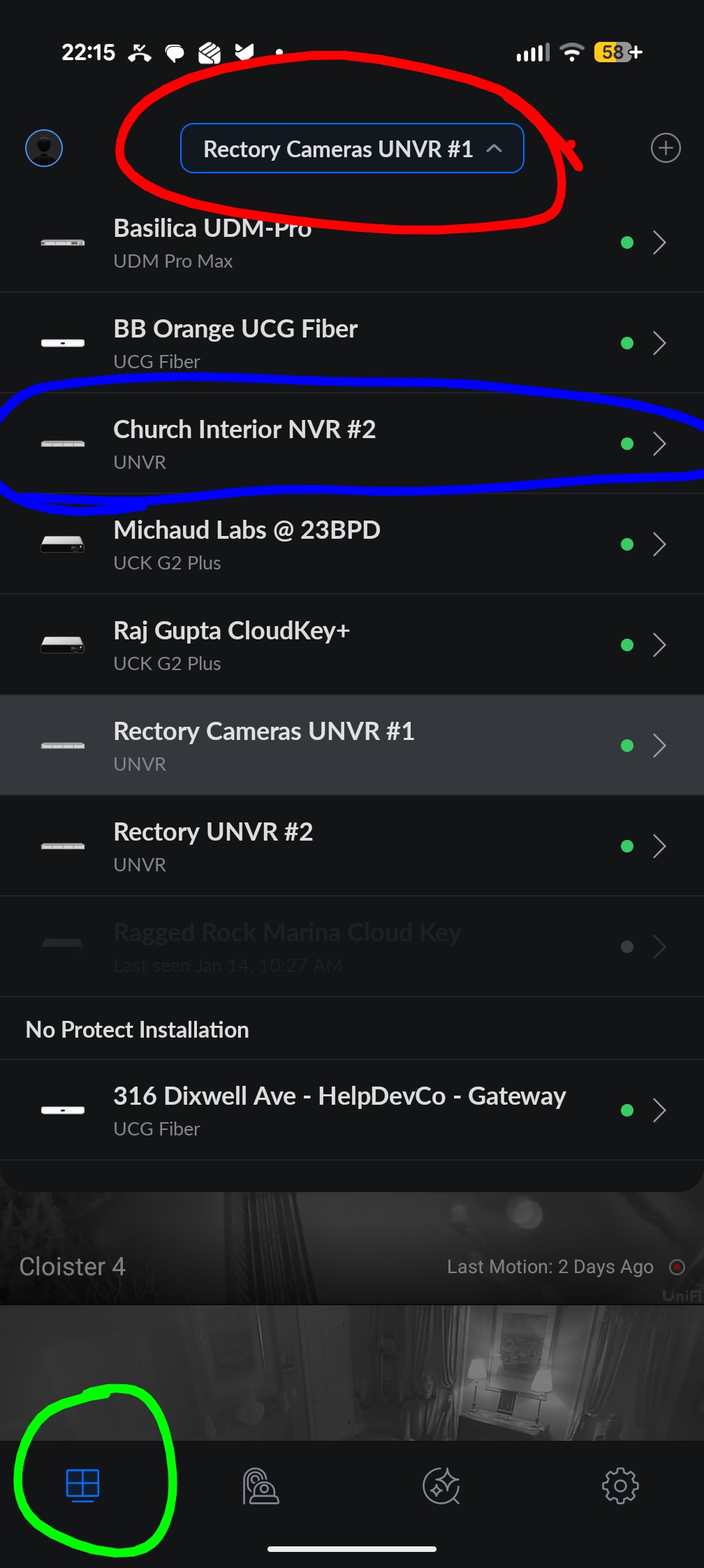
1. Open the Unifi Protect App and log in.
2. Click the camera view icon in the bottom left (circled in green)
3. Click on the site manager menu (circled in red)
4. Click one of the UNVR devices in the list (circled in blue) to view the cameras attached to that UNVR.

